¶ Main Action Toolbar
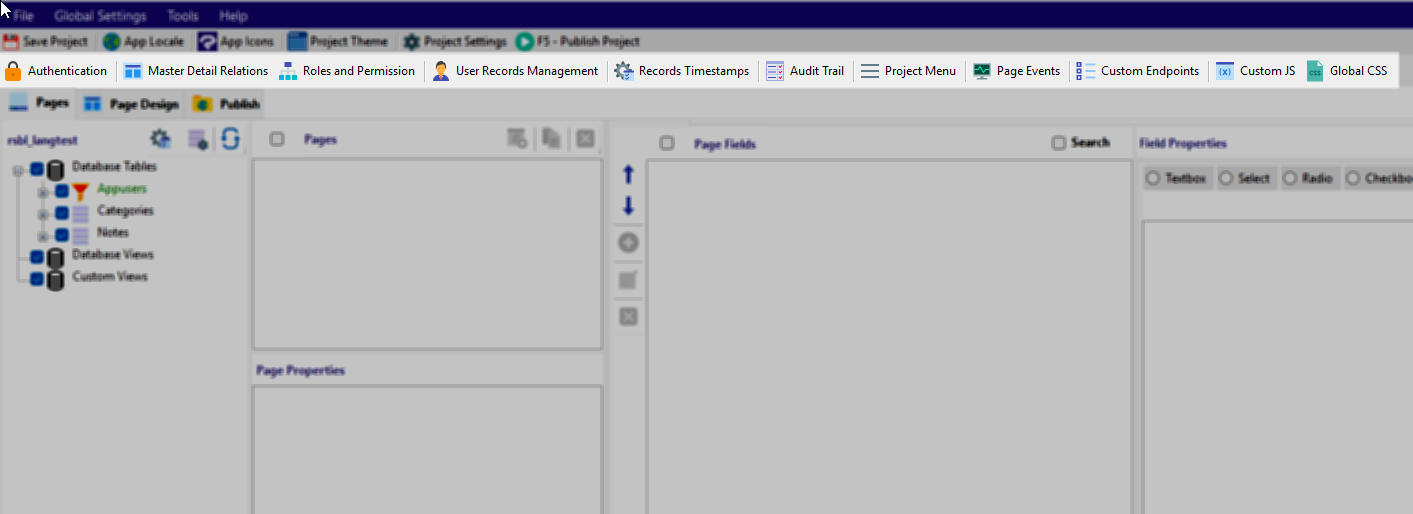
The Action Toolbar provides direct access to advanced application configuration features. These tools control authentication, data relationships, security, auditing, UI structure, and custom development extensions. Each option opens a dedicated configuration interface, allowing you to extend system behavior without writing core framework code.
Below is a brief overview of each option.
¶ Authentication
Configures the user login system, registration behavior, and access control foundation. This must be enabled before using features that rely on user identity, such as record ownership and permissions.
¶ Master Detail Relations
Defines relationships between parent and child tables. This is used to build structured data entry screens such as Orders with Order Items or Categories with Products.
¶ Roles and Permission
Opens the Role-Based Access Control (RBAC) interface where you define user roles and assign page-level permissions. This determines which parts of the application each role can access.
¶ User Records Management
Controls row-level data ownership. This feature determines which records a user can view, edit, or delete based on a mapped User ID field.
¶ Records Timestamps
Automatically manages created and updated timestamps for records. This ensures the system tracks when data is added or modified without manual coding. Configures automatic tracking fields related to record lifecycle, such as creation, update, and deletion timestamps. A key setting here is the Date Deleted Field Name. When this field is mapped for a table, RadSystems automatically enables Soft Delete behavior.
¶ Audit Trail
Enables logging of record changes, helping track who made changes and when. This is important for accountability, compliance, and debugging.
¶ Project Menu
Configures the application’s navigation structure. Here you define how pages appear in menus and how users move through the system.
¶ Page Events
Allows you to attach logic to page-level events such as "Before Add", "After Add", "Before Export" etc. This provides controlled customization without modifying generated core files.
¶ Custom Endpoints
Used to define additional backend routes or APIs beyond the standard generated endpoints. This supports integration with external systems or advanced logic.
¶ Custom JS
Provides a place to include custom JavaScript that runs within the application. Useful for UI enhancements and client-side behavior customization.
¶ Global CSS
Allows you to define application-wide CSS styles. This is used to override default theme styles or apply custom branding.