¶ Edit Environment Variables
Environment variables are system-level configuration values that define how the operating system and applications locate and use installed software. The most important variable in development environments is the PATH variable, which tells Windows where to find executable tools such as PHP, Composer, Node.js, Gradle, Java, and other framework dependencies.
For RadSystems Studio, these tools must be correctly installed and accessible through the PATH variable. If they are not properly configured, actions such as publishing a project, building mobile packages, or running backend services may fail because the required command-line tools cannot be located.
¶ How This Tool Works
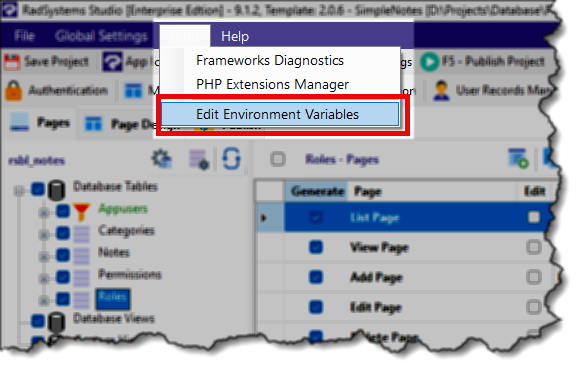
The Edit Environment Variables option under the Tools menu does not have a custom RadSystems interface. Instead, it directly opens the built-in Windows Environment Variables dialog. This allows you to view, edit, or add system and user environment variables using the standard Windows interface.
You can use this dialog to ensure required tools are added to the PATH variable so they are available system-wide.
¶ Additional Information
For detailed instructions on editing environment variables or adding paths to the PATH variable, refer to the official Windows operating system documentation.
Link:
https://learn.microsoft.com/en-us/answers/questions/4330946/change-system-variables-on-windows-11